Waves Plugins Now Run in OBS Studio (Windows) via the Waves StudioRack plugin chainer
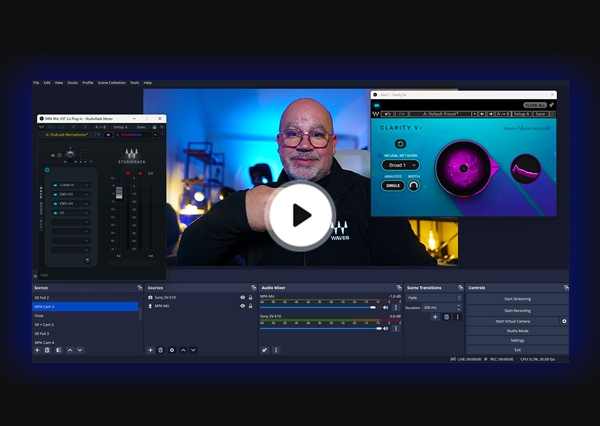
Maximize Your Audio Quality in OBS Video Streams
We are glad to announce that Waves plugins are now compatible with OBS Studio, the leading software for live streaming and video recording for Twitch, YouTube and more. (Compatibility is currently available for Windows only).
Now you can dramatically improve the audio quality in your OBS-streamed videos and podcasts:
• Clean background noise with AI-powered noise reduction
• Get your voice sounding rich, smooth, present & consistent
• Make zoom calls and phone mics sound better
• Ensure your levels are up to professional standards
Watch Tutorial
How to Run Waves Plugins in OBS
To run Waves plugins in OBS, install the free Waves StudioRack plugin chainer from Waves Central, insert StudioRack on any audio source from the filters menu in OBS Studio, and load your favorite Waves plugins inside StudioRack.
If you have StudioRack already installed, you will need to update it in Waves Central.
Learn more »
Streaming-Ready StudioRack Plugin Chains: Now in Waves StudioVerse
Want instant presets for complete streaming-ready plugin chains? Check out these new StudioRack/StudioVerse chains prepared especially for streaming—covering everything from cleaning up your guest’s feeds and background noise, making zoom calls and phone microphones sound way better than they actually do, all the way to polishing your sound, making your voice sound better, and ensuring your levels are on point and ready for going live.
See Chains
Recommended Plugins for Improving Audio in OBS Studio