So here’s a question for the developers. I do a lot of multiple subject interviews, and mic bleed is an issue that plagues constantly. Would this be suitable for having Mic Subject B & C being able to sync up with mic subject A to avoid having to remove/alight bleed using manual cutting, or other methods. I ask, only because I have not been able to find good load balancing mixer plugins, and am always looking for other methods to save tedious work over a 5 hour interview.
Not a developer, but I do also mix interviews, and this is not really suitable for syncing tracks (compared to say, Davinci Resolve’s audio sync).
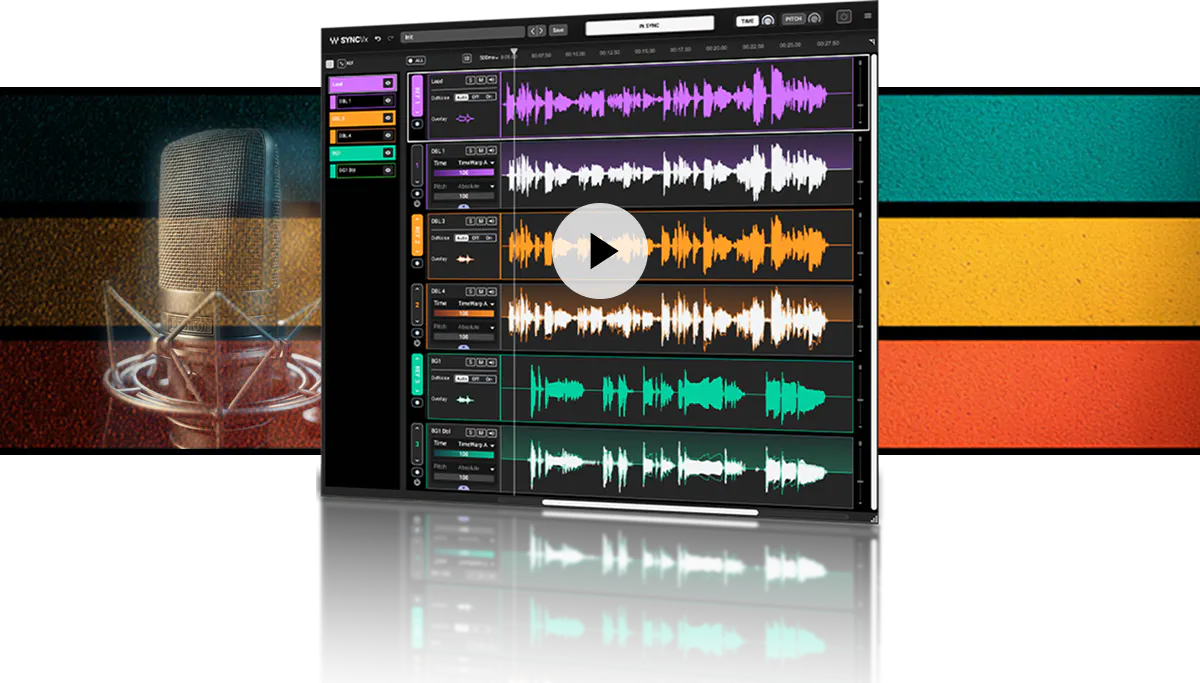
Sync VX is going to adapt each syllable to be in time between the tracks, so if you’re dealing with bleed, the sync is going to be nearly perfect already. At most, it might adjust the bleed to be perfectly in sync (rather than delayed by how far away the mics were), but only if your tracks are already aligned.
Clarity VX, however, is fantastic for cutting out bleed. Like, shockingly fantastic. I use it on (recordings of) live music events to cut out drums from vocal mics, and occasionally to cut out vocals from audience mics![1] The De-reverb plugin is also great for reducing room noise in interviews - I use both all the time. They’re expensive, but worth it if you’re frequently dealing with dialog in less-than-perfect environments.
This doesn’t usually work so well, but it’s possible to get a couple dB reduction in some circumstances. ↩︎
To my understanding tt is supposed to be useful for multiple mic feeds in a film/tv production.
The challenging part is that in the context of shoots the mics aren’t often at a fixed, stationary point relative to each other, they tend to move a bit. Especially if lav mikes are involved. I believe that Sync VX is designed to accommodate for that.
So it doesn’t just align audio through a one off fixed latency, but can dynamically keep ll the tracks aligned throughout an entire scene. I believe you can even manually edit the timing. Which is why it’s incredibly useful as an ARA plugin.
It’s just unfortunate Apple’s Logic no longer support that so you have to be sure your audio timeline is 100% where it needs to be before using SyncVX otherwise you risk ruining alot of your hard work within SyncVX.
Otherwise it should work fine for your intended purpose. Though I would advise you check out a detailed walkthrough and see if it does what you need it to. Try here for a start…
Not in my experience. At most, you can use a different % of adaptation for a section. It’s one-click elastic audio, not a full elastic audio suite (unfortunately…).
It really seems intended for vocal stacks in pop/metal production to me. I’ve had some success with harmonies. Maybe there’s a use for multiple mics on the same subject where one is static and the other is attached, but I don’t see it being useful for any kind of bleed between multiple speaker mics compared to simply filtering out the bleed.
I don’t have it as I’m a Logic user, but I could almost swear that you can adjust it region by region if you have to. Which also includes the ability to mean your own regions/cut points… on top of a usual “auto” sync mode.
I can easily be wrong , but I thought I remember seeing that in the promo material. I also remember thinking to myself that finally Waves has something that can do that “Auto Align Post” thing.
Yeah, if you have multiple clips then it’s possible to set different strengths in each. It would be more useful to choose a different reference track,[1] but I haven’t been able to get it to do that.
But fundamentally it’s for taking multiple takes of the same part and making them match naturally (rather than perfectly, which would just be copy+paste), rather than two different microphones recording the same event, or letting you choose where to stretch/shrink the time. And it’s hugely efficient for that, compared to going through manually with elastic audio to make your vocal double track match the original, but if you don’t want the automatic treatment then you just need a different tool.
Then I could have whichever vocalist is leading that section marked as the reference and force the backing vocals to match them. ↩︎
Oh okay. Perhaps try leaving them some feedback directly. I understand the read everything, you might just get lucky enough they make a few changes to get thins working as you want.